Site of Service: Using the Setting Lookup

You can use the Setting Lookup feature during a medical review (or independently of a review) to determine the appropriate setting for a procedure when a full medical review is not required, but a setting decision is still needed. The code library includes both CPT® codes addressed in the InterQual Procedures Criteria and codes not addressed in the criteria.
- From the left side navigation menu (
 ), select Setting Lookup.
 -
Enter a 5-digit CPT code or procedure description and click Find.
If you searched on a description, multiple codes may be returned.
-
Click the code for which you want to see the setting data.
The data insights information appears.
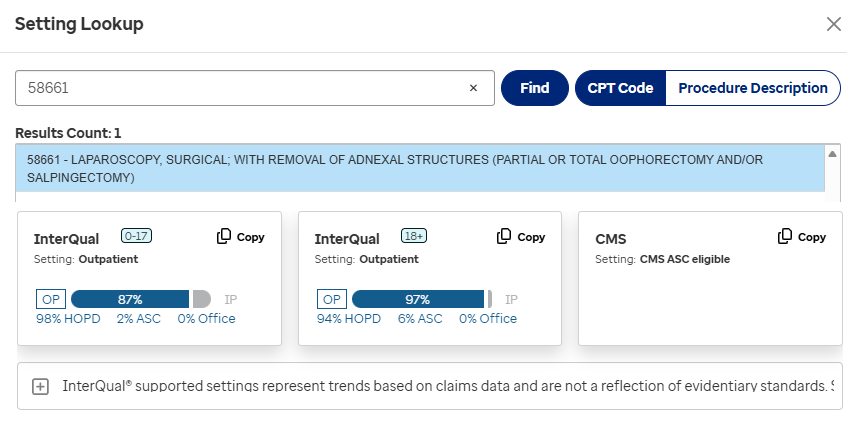
- Optionally, copy the information using the copy button (
 ).
). - Click the close button (X) to close the Setting Lookup dialog.
- If appropriate, paste the information you copied into a comment in an in-progress review. The information pasted into a comment will appear on the Review Summary.